Learn on your time with our Online Learning System!
WAFCA offers on-demand opportunities for select WAFCA-CE webinars! Each offering is eligible for Continuing Education hours following the successful completion of the webinar and passing of a short quiz.
There are over 25 recorded workshops available (and counting)! Here is a preview of a few highly-rated presentations available in our Online Learning System:
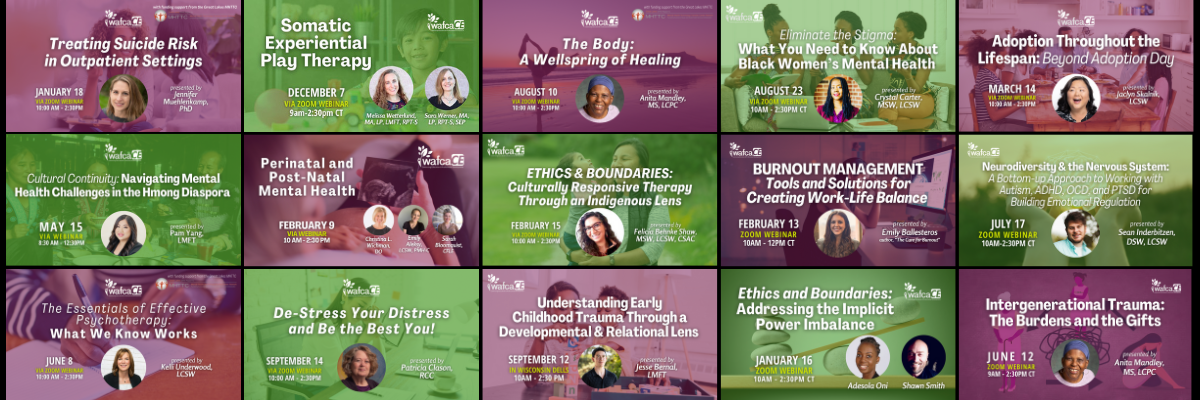
*Note: WAFCA's Online Learning System is available exclusively to WAFCA Member Agency Employees and Premium CE Subscribers. Learn more about WAFCA's Member Benefits, or explore our individual CE Subscription options if you are interested in on-demand learning for your staff or for yourself.
NOTICE: MemberClicks is currently experiencing some technology issues that may impact your ability to complete WAFCA's on-demand trainings. We are working with MemberClicks to resolve these issues and will remove this notice when things are running smoothly.
WAFCA Members & CE Subscribers, click below to check it out!
Be sure to thoroughly review the "tips before you get started" before jumping in. :)
* ONLINE LEARNING SYSTEM *
Tips Before You Get Started:
- Each webinar must be viewed for a certain amount of time in order to obtain credit; this is based on the amount of actual presentation time. Note that fast-forwarding through presenter content will render you unable to progress to the quiz.
- Webinars must be watched in full before progressing to the quiz.
- The Online Learning System does not permit multi-tasking while the webinar plays. (If you are watching a recording on your laptop and go to check your email or access another page, the recording will pause. It will resume when you come back to it.)
- Following successful completion of the webinar and quiz, you will be able to download your certificate. It will open as a PDF. (You may need to adjust pop-up blocker settings.)
- If you step away from a course completely and want to continue viewing the webinar from where you left off, scroll down past the courses to find the "SEE COURSES YOU OWN" button. Click on it to select the webinar you were viewing, and it should display the video from the minute you left off.
***A special note to employees of Children's Wisconsin*** Some people have reported issues saving progress when watching on a Children's device, possibly due to firewall issues. We recommend logging in and watching the recording on a non-Children's device. We apologize for the inconvenience!
|